BrisbaneLink · Mon 24 Aug · 09:35 · 6 zones live

Nobody works in a zone someone else is holding.

Site information shouldn’t live on whiteboards, pieces of paper, WhatsApp messages or in someone’s head. ToolboxFM makes communication between the site and project team simple. It replaces disconnected, manual processes with one easy-to-use platform that captures what’s happening on site, when it’s happening, and who needs to know. One platform. One source of truth. Better communication from site to project team.

Built for Construction · Infrastructure · Mining & Resources · Energy & Utilities · Defence

Day board — Monday 24 August 2026Site hours 05:00–20:00Held — approvedBumped — needs reschedulingNow
05:0008:0011:0014:0017:0020:00
Level 3 Zone 4confined_space
Services rough-in
Scaffold dismantle
Plant relocation · bumped
Platform A Zone 3hot_works
Precast panel lift
Drainage connection
Scaffold dismantle · bumped
North Portal Fanshotcrete
Tower crane tandem lift
Platform B Zone 1penetration_void
Survey set-out · active
Temporary works inspection
Platform B Zone 2plant_crane
Scaffold erect
Shotcrete application
Service Tunnelcable_pull
Waterproofing membrane
0105:30
A zone on a whiteboard has no identity

Give High Risk Work an Address

High-Risk work shouldn't just have a description - it should have an address.

ToolboxFM gives every high-risk activity a specific, identifiable location on site. That location and activity is linked directly to its designated exclusion zone, so everyone knows exactly where the work is happening, what activity is taking place, what area forms the exclusion zone and who is responsible.

By giving high-risk work an address, ToolboxFM removes ambiguity and makes communication simple.

Right activity. Right location. Right Information. Right People.

app.toolboxfm.com/exclusion-zones
Exclusion Zones list — six QR-bearing zones with hazard type and active status
Six zones on BrisbaneLink · 3 active · each with its own QR
Exclusion Zones on a phone — six QR-bearing zones with hazard type and active status
Six zones on BrisbaneLink · 3 active · each with its own QR
0206:40
“I said we where working here in the Whatsapp message yesterday”

Work becomes a request for time in a place

Formwork Screen Climbs, Curtain Wall Installation, Excavation Zones.

High-Risk work is often repetitive. ToolboxFM makes booking it simple.

Create a work activity template once and reuse it whenever the same activity is required. Save the key information, requirements and controls, add photos so your team doesn't have to start from scratch every time.

When its time to book the work, simply select the template, choose the location and exclusion zone, nominate the date and time, add the relevant peoiple and submit for approval.

ToolboxFM turns a process that can be repetitive and time consuming into a quick, consistent and easy to follow booking process.

Create once. Book in seconds. Work in confidence.

app.toolboxfm.com/activity-templates
Activity templates a subcontractor can reuse — each with Use, Edit and Delete
Subcontractor view · 4 templates · “Use” raises a prefilled request
Activity templates on a phone — each one reusable with Use, Edit and Delete
Subcontractor view · 4 templates · “Use” raises a prefilled request

What comes back is not an approval by silence. The subcontractor sees their own work and only their own work, each item carrying the state it is actually in — pending, scheduled, active, close-out due. Across the whole site that is 144 activities, and every one of them has a state you can point at.

app.toolboxfm.com/work-activities
A subcontractor's own submitted activities with their lifecycle state and zone
Scoped by company · the site supervisor sees all 144, this crew sees theirs
A subcontractor's own submitted activities on a phone, each with its lifecycle state and zone
Scoped by company · the site supervisor sees all 144, this crew sees theirs
03 · 09:19 · Pending approvals

One Zone. One High Risk Activity

Two high risk activities shouldn't be competing for the same space at the same time.

ToolboxFM prevents overlapping bookings within the same exclusion zone. When an activity is booked, that zone becomes unavailable for another high risk activity during the same period.

This creates a clear, controlled booking system that helps prevent clashes, improves coordination between trades and gives project teams visibility of what work is happening where and when.

No double bookings. No conflicting activities. No confusion.

17waiting1already started2bumped today82%approval rate
Clashes with an approved lockout

Level 31 Formwork Screen Climb East Elevation holds Level 5 Terrace until 11:00AM Facade Panel Installation East Elevation requested Exclusion Zone Level 5 Terrace from 10:00AM cant be booked due to the overlap.

Reschedule & approve — move it, keep itReject — with a reason the submitter sees

Approving one activity bumps the other and tells its owner. Two were bumped this morning; both are already on the day board flagged “needs rescheduling”.

app.toolboxfm.com/approvals
Pending approvals — a tower crane tandem lift flagged as a zone clash against two approved lockouts
The same clash on a phone — Zone clash badge, scheduled duration, spotter and the overlap detail
0409:35
Nobody can see the whole day at once

Plan Tomorrow, Today

The best site meeting happen before the work starts.

ToolboxFM gives the site team a clear picture of the next day's planned activities - who is working where, what high risk activities are taking place, which exclusion zones are affected and how long they will be required.

Instead of discovering conflicts as the day unfolds, the team can have a quick catch up the day before, review the planned activities and affected zones, make the necessary adjustments before anyone steps on site.

A few minutes of planning today can save hours, delays and improves safety tomorrow.

app.toolboxfm.com/today
Today board — attention panel, rescheduling panel, and a six-zone hour-by-hour timeline
Site supervisor view · the same board this page opens with
Today board on a phone — what needs attention, then the zones hour by hour
Site supervisor view · the same board this page opens with
17
Approvals waiting
14
Close-outs owed
6
Zones live now
24.0h
Live exposure
0513:40
The person at the barrier has no idea what's inside

Broadcast Whats Important

Put the right information in the right place-without requiring everyone to have an account.

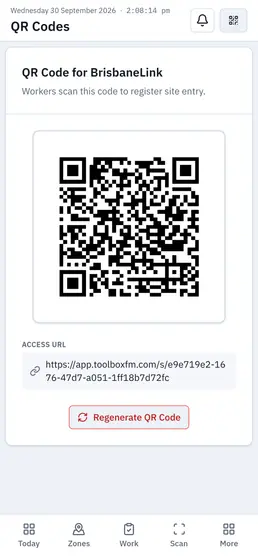
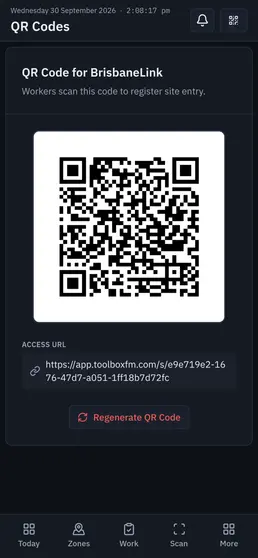
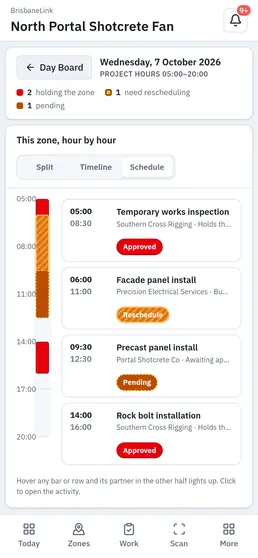
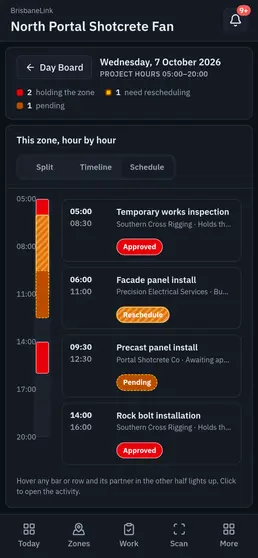
Every ToolboxFM exclusion zone has its own dedicated **QR Code. **Scan it to instantly see what activity is taking place in that zone, when it is active and the key information people need to know.

Every Project also has a dedicated Project QR Code. Anyone on site can scan it-no user profile or login required-to see what's happening across the project that day.

Place Project QR Codes at Site Entrances, Hoists, Lunch Rooms, Noticeboards and other high traffic areas, giving everyone easy access to information that matters.

ToolboxFM helps turn the site itself into a communication network.

Scan. See. Understand. Stay Informed.

The aim is simple: Broadcast Whats Important.

1 · Print
Print per-zone QR codes
Print per-zone QR codesOne code per zone, zip-tied to the barrier. Each carries its own access URL.
2 · Scan
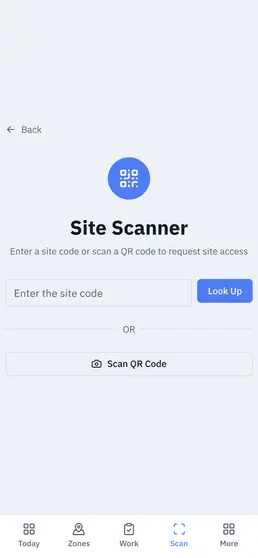
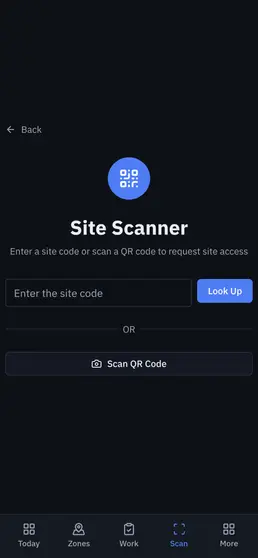
Site Scanner
Site ScannerScan the code or type the site code. No account, no app to install.
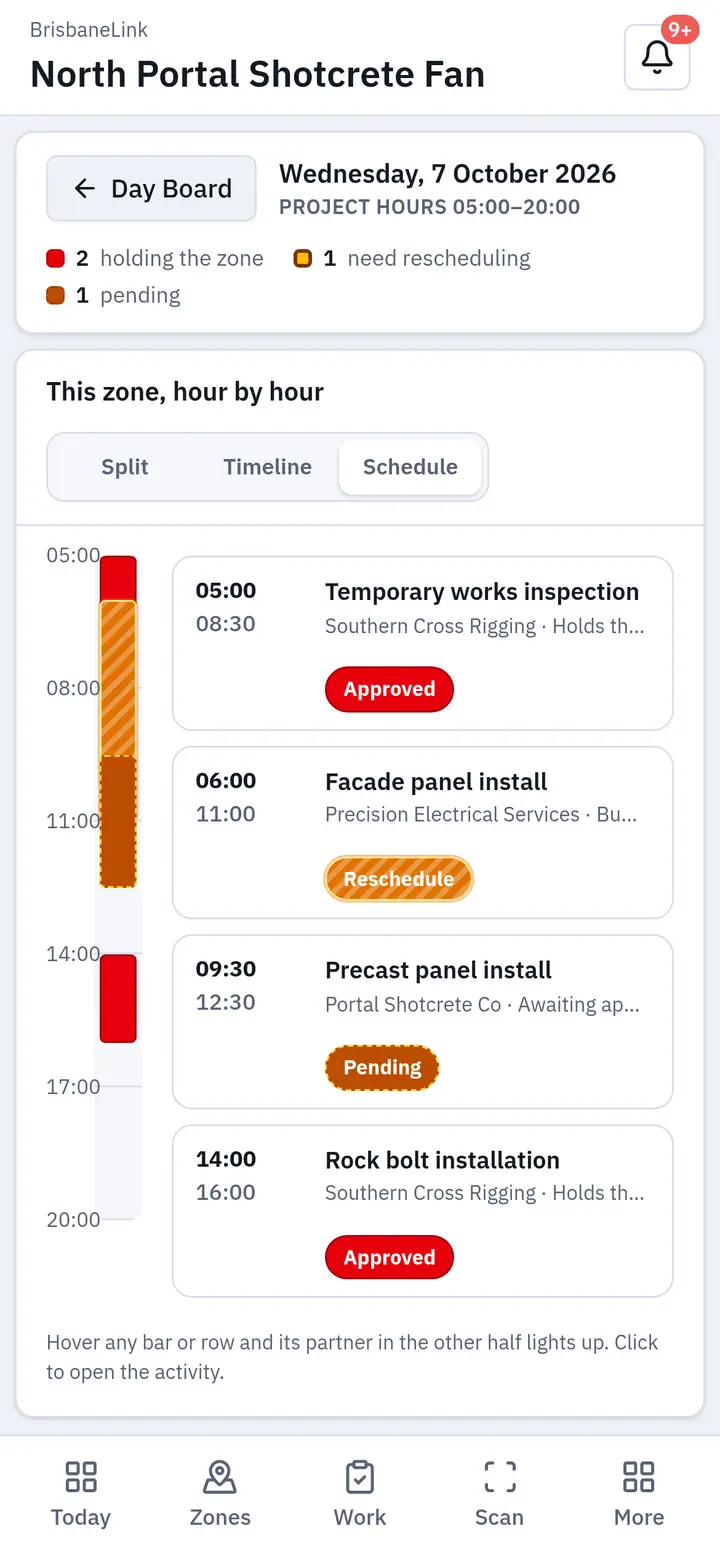
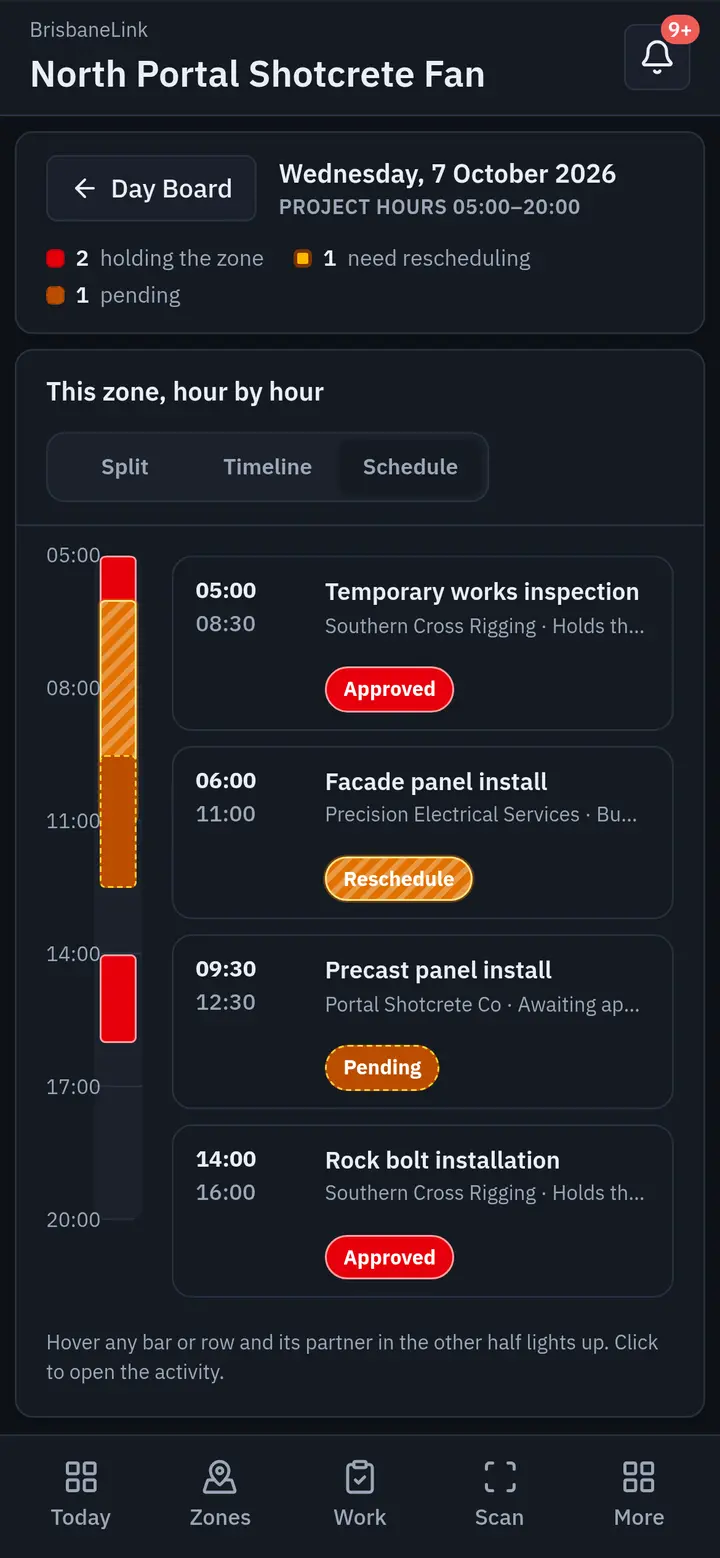
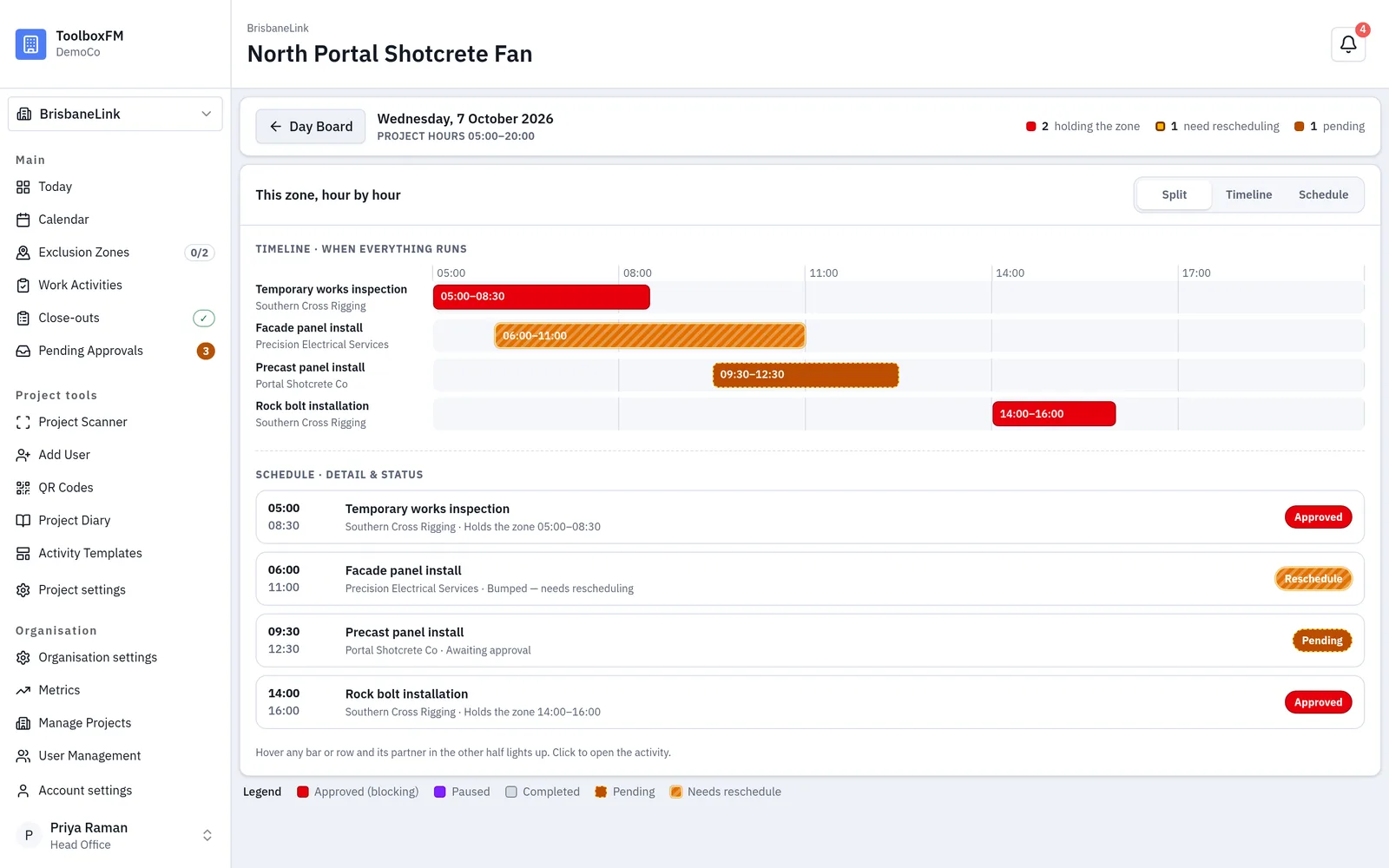
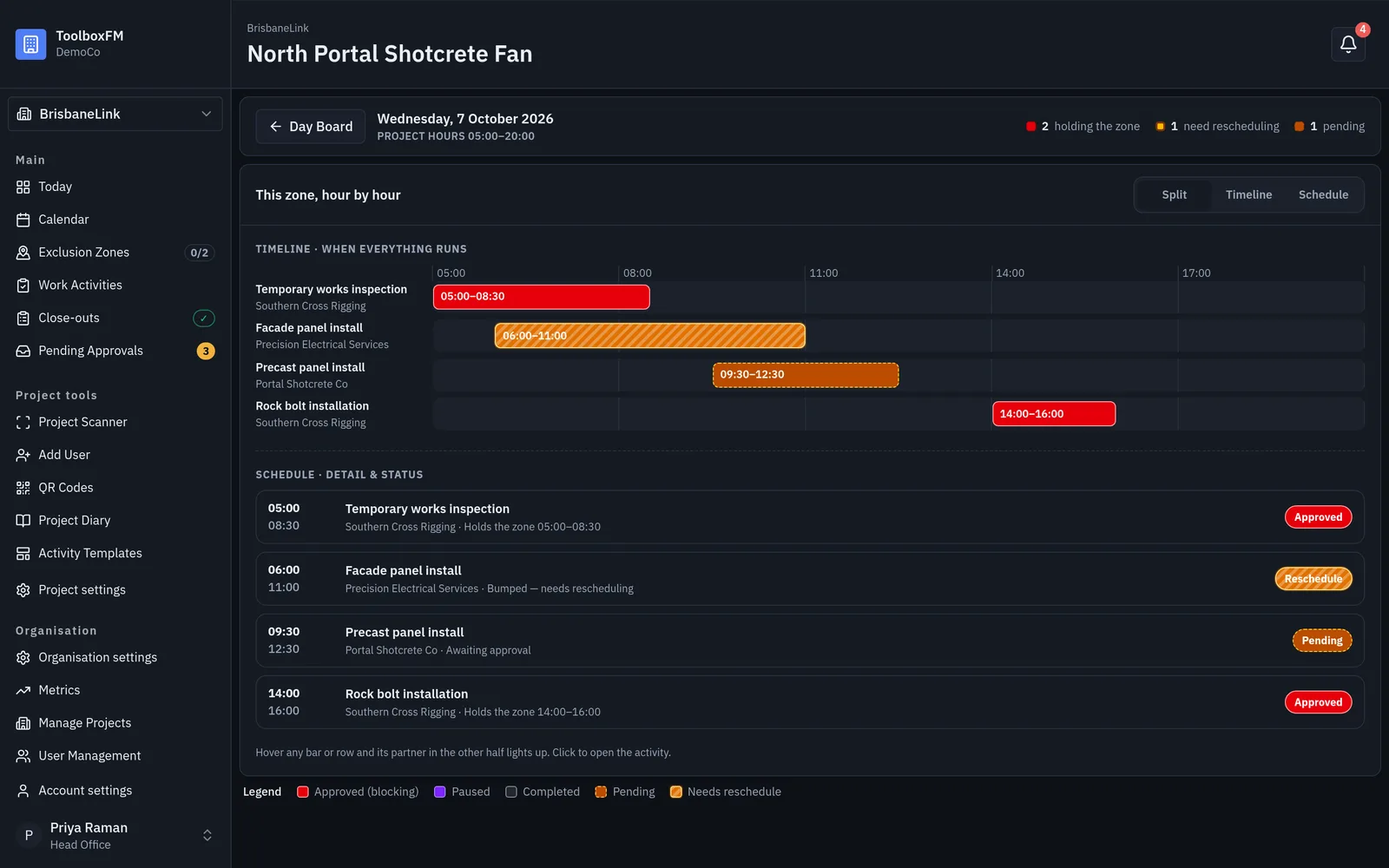
3 · See
This zone, hour by hour
This zone, hour by hour2 holding the zone · 1 needs rescheduling. Live, not this morning's whiteboard.
0614:15
“Why has that crew been standing around since lunch?”

Know Why Work Stops

ToolboxFM allows teams to pause an activity and select the reason, whether its a safety issue, design change or RFI, access is restricted, weather, plant breakdown or other interruptions.

The pause is automatically tracked against the activity, recording exactly how long the work was stopped and why. Importantly, the exclusion zone remains booked and active while the activity is paused. The zone is not released until the activity is formally closed out, helping prevent another high risk activity from being booked in the same area.

All pause information is captured in the site diary and becomes part of the activities close out record.

No more guessing how much time has been lost. No more relying on your memory at the end of the day.

Project Teams get a clear picture of what affected the activity, how long it was affected and whether something needs attention, giving them better information for **planning, coordination, productivity and decision making. **

app.toolboxfm.com/activity/survey-set-out
Work activity detail — lifecycle, work window, zone, subcontractor and pause history
Pause history · “Delivery truck blocking the east access ramp — traffic controller called.”
Work activity detail on a phone — lifecycle, work window, zone and pause history
Pause history · “Delivery truck blocking the east access ramp — traffic controller called.”
0716:20
“That job finished Tuesday. Did anyone write it up?”

Ending the activity frees the ground. The close-out plans tomorrow.

The work is finished but what happened during the activity?

ToolboxFM makes close outs simple with a short series of questions designed to capture the reality of the work while its still fresh.

The person closing out the activity can record:

  • was the exclusion zone the right size?
  • was access adequate?
  • were there any delays? if so how long?
  • did you have the right resources?
  • what plant or equipment was used?
  • were you short any materials?
  • was there anything to report from a safety perspective?

These answers build a clear picture of what actually happened. Not just what was planned.

The information becomes part of the activity record and site diary, giving project teams valuable insight into productivity, delays, resources, materials, access and safety.

Over time this creates valuable history of how work is really being delivered onsite.

Plan it. Do it. Capture it. Learn from it.

app.toolboxfm.com/close-outs
Close-outs list — 14 outstanding, overdue banded separately from due, each with Remind and Close out
Outstanding 14 · Drafts 0 · Finalised 47 · “owed more than 3 days” gets its own band
Close-outs on a phone — overdue banded above due, each row carrying Remind and Close out
Outstanding 14 · Drafts 0 · Finalised 47 · “owed more than 3 days” gets its own band

The close-out itself is six short questions — what happened to the activity, how much of the work actually got done — and it has a Save Draft, because the person filling it in is standing in the weather with one hand on a phone. Those answers are what the completion rate and the duration forecast are made of.

app.toolboxfm.com/close-outs/steel-fixing-welding
Close out activity wizard — step 1 of 6, what happened and how much was completed
Step 1 of 6 · Completed as planned / Cancelled / Rescheduled · Save Draft
Close out activity wizard on a phone — step 1 of 6, what happened and how much was completed
Step 1 of 6 · Completed as planned / Cancelled / Rescheduled · Save Draft
0817:00
“Who approved that, and when? I'd have to go back through emails”

The day writes itself down

Every approval, activation, rejection and close-out lands in the site diary as it happens, stamped with who did it and when — 44 entries across the last week — alongside manual notes a supervisor adds by hand. Filter to events, close-outs or manual entries, or search the lot. It is the record you reach for when someone asks what actually happened on the 19th.

app.toolboxfm.com/site-diary
Site diary — a dated log of approvals, activations and manual entries with author and subcontractor
All 44 · Manual 5 · Events 3 · date-ranged and searchable
Site diary on a phone — a dated log of approvals, activations and manual entries
All 44 · Manual 5 · Events 3 · date-ranged and searchable
0917:40
Nobody knows what high-risk work actually costs you

Exclusion time becomes a number you can manage

Hours a zone sat excluded per week. Live exposure right now. Approval rate, completion rate, and where the hotspots fall on the calendar. “The busiest day was 21 Aug with 90.8h of exclusion time” stops being a feeling and becomes a planning decision — move the heaviest work off the peak.

app.toolboxfm.com/metrics
Metrics — weekly exclusion hours with projection, five KPI tiles, hotspot heatmap and throughput
Across all sites · last 12 weeks · solid = actual, dashed = projection
Metrics on a phone — the month-ahead forecast above exclusion hours, live exposure and approval rate
Across all sites · last 12 weeks · solid = actual, dashed = projection
Where it earns its keep

Anywhere ground has to be handed between crews

Construction

Commercial, residential and industrial projects with a dozen trades sharing one slab.

Infrastructure

Road, rail, bridges, tunnels, airports and ports — live corridors, staged possessions.

Mining & Resources

Surface operations, underground mines and processing facilities.

Energy & Utilities

Generation, transmission, renewables, water and gas — isolations that must not be crossed.

Government & Defence

Operational facilities, public assets and secure workplaces.

Manufacturing

Plants, warehouses, shutdowns and maintenance windows measured in hours.

Our mission

Better communication creates better outcomes.

ToolboxFM exists to make sure the right people have the right information at the right time — on ground where being wrong is expensive.

By providing one live platform for exclusion zones and high risk work coordination, organisations can improve visibility, communication and operational awareness across their workplaces.

Ready to improve the way your teams coordinate high risk work?

Book a personalised demonstration and see how ToolboxFM can support your organisation.